For Xbox & PlayStation players · Minecraft Bedrock
Get your console onto any Bedrock server
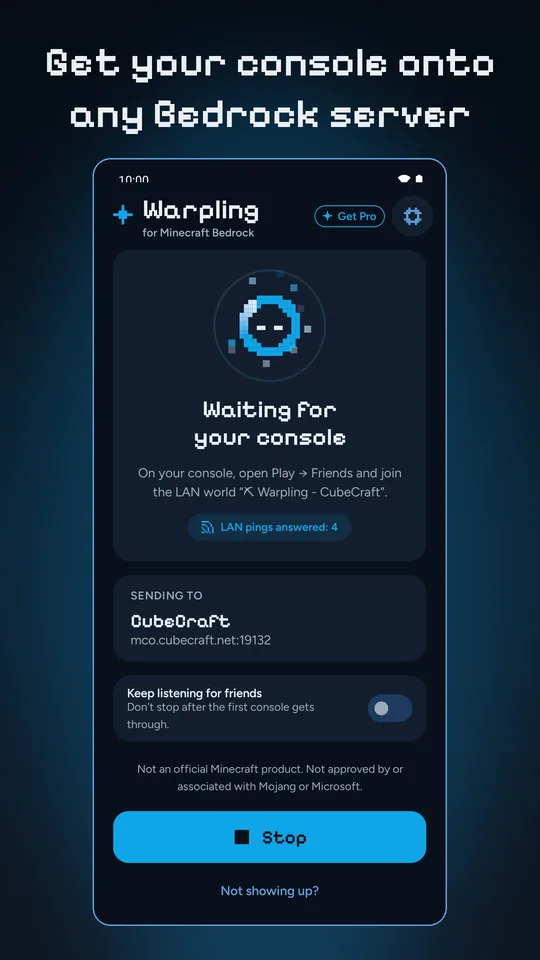
Your phone shows a LAN world, your console joins it, and Warpling sends the console on to the server you picked.
Warpling is no longer available on Google Play or the App Store. If it is already on your phone, it keeps working, but it gets no more updates.
 No PC
 No DNS changes
 No account


Retired
No longer in stores
The app
Pick a server. Start. Play.
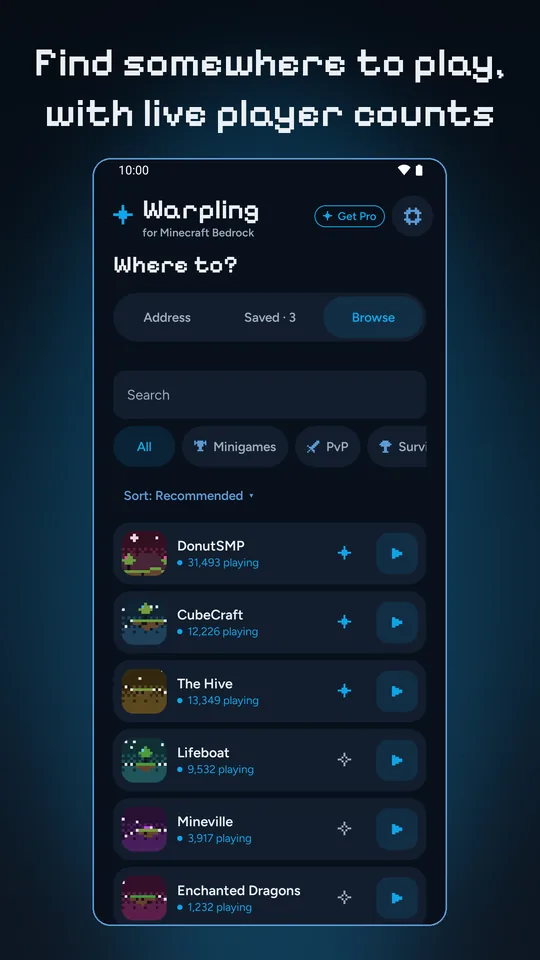
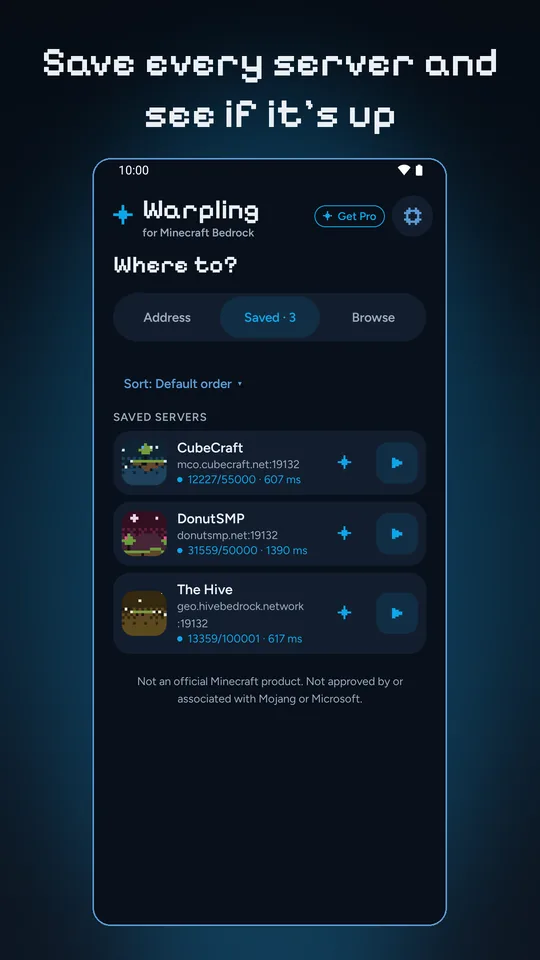
Screens from Warpling on Android.
How it works
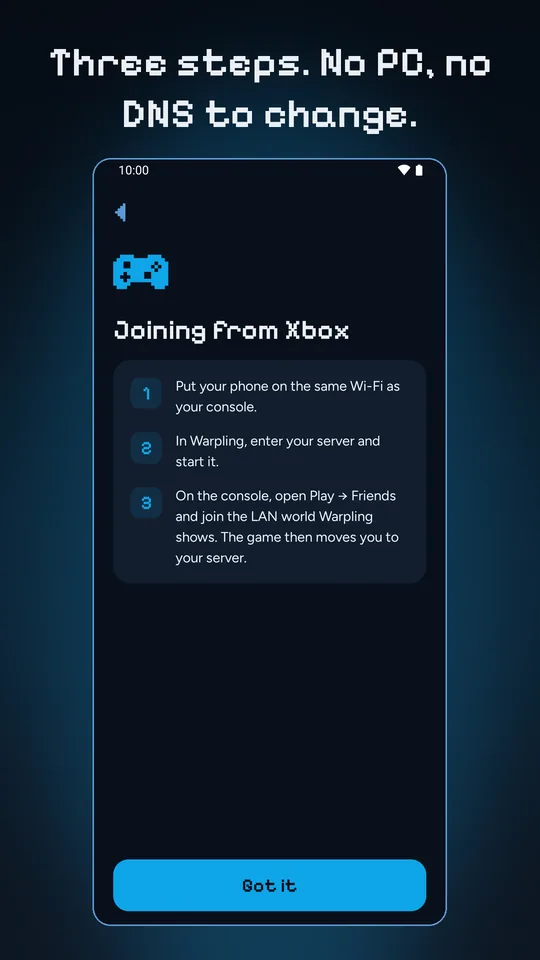
Three steps. No PC.
The phone in your pocket does the job, and your console's network settings stay exactly as they are.

1Same Wi-Fi
Put your phone on the same Wi-Fi as your console.

2Tap Start
Enter your server's address in Warpling and tap Start.

3Join on the console
Open Play → Friends and join the LAN world Warpling is showing. The game moves you to your server.
On Xbox and PlayStation, the Servers tab lists partner servers only. Every other server is joined through a LAN world, and Warpling is that LAN world. Once the console is on its way to your server, the phone is out of the way. Nintendo Switch does not join servers this way, and the app's first screen says so.
Inside Warpling
What you get
Browse
A hand-picked list of popular Bedrock servers, with live player counts, categories and search.
Unlimited saved servers
Each with live status before you start: online or not, players, latency, version.
Notify when online
Watch a server and get a notification when it comes back up.
Play on this phone
When the game is on your phone too, open the same server there with one tap.
Not showing up?
Checks your Wi-Fi, the address you typed, the server itself and whether any console has looked yet, then tells you which one to fix.
Runs in the background
Keeps the session going in the background, and stops itself once your console is through.
Survives game updates
You can set the version Warpling advertises when a console is on a different one.
No account
Nothing to sign in to. Warpling never asks for your Microsoft or Sony sign-in.
14 languages
Pick yours in Settings, whatever language your phone is in.
Warpling is retired
Warpling is no longer available on Google Play or the App Store. If it is already on your phone, it keeps working, but it gets no more updates.
Not an official Minecraft product. Not approved by or associated with Mojang or Microsoft.